Bestellingen worden doorgaans binnen 48 uur naar België geleverd, afhankelijk van de locatie.
Gratis verzending naar België bij bestellingen van 50 EUR of meer. Er worden bezorgkosten van 18 EUR in rekening gebracht voor alle bestellingen van minder dan 50 EUR.
UPS- of FedEx freight-zendingen met vooruitbetaling: DDP (invoerrechten en douane betaald door DigiKey)
DHL freight-zendingen met vooruitbetaling: CPT (invoerrechten, douanerechten en btw verschuldigd op het moment van levering)
Kredietrekening voor gekwalificeerde instellingen en bedrijven
Vooruitbetaling per bankoverschrijving
![]()
![]()
![]()
![]()


Meer producten van volledig geautoriseerde partners
Gemiddelde verzendtijd: 1 tot 3 dagen, extra verzendingskosten kunnen van toepassing zijn. Raadpleeg de productpagina, de winkelwagen en de kassa voor de werkelijke verzendsnelheid.
Incoterms: CPT (Rechten, douane en toepasselijke BTW/belasting zijn verschuldigd op het moment van levering)
Voor meer informatie zie Hulp en ondersteuning
For the budding Roboteer, learning how to add and control actuators is a key skill. In this guide, we are going to take a look at our servo driven Klaw actuator,* and show you how to control it via code.
Our Air Freshener Kit is one of the most featured kits in our Student Gallery, and for good reason! It requires a good amount of design thinking, but the enclosure itself can be quite abstract or take on a great number of forms.
In this tutorial we’ll demonstrate how a Raspberry Pi Pico can be used along with some simple electronic components and Python code to record the voltage of a AA battery.
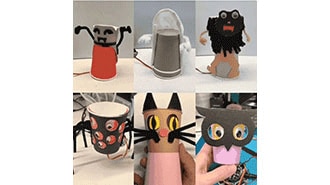
This guide shows how program these crafty monsters with both Microsoft MakeCode - a block-based programming system that's easy for anyone to use, and CircuitPython, a Python-based language that is the perfect introduction to higher-level programming.
We recently launched the Kitronik Simple Servo Control Board for BBC micro:bit, and Emma wasted no time in putting together three great resources for it. We've included all three resources below, with all of the files needed and step by step instructions for each.
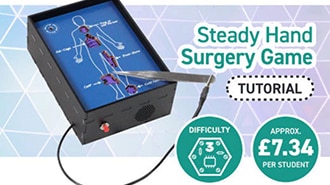
This make is a good example of using a kit which looks like it has only one particular purpose in an entirely new way. What was designed as a Steady Hand Game, in which a loop is passed around a wire maze, is here being used as the circuitry for a surgery-themed game instead!
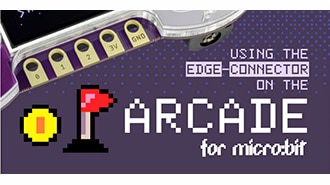
Full micro:bit edge connector support has now been added to the MakeCode Arcade editor. To highlight this, Jake from our Dev team has put together a code example to demonstrate the functionality of the micro:bit IO under Makecode Arcade.
This make by Kev, our in-house illustrator/designer, is great for the classroom. It combines electronics and design, and the result will look good on a desk, a shelf, or in a workshop.
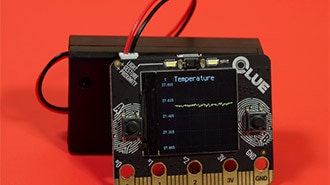
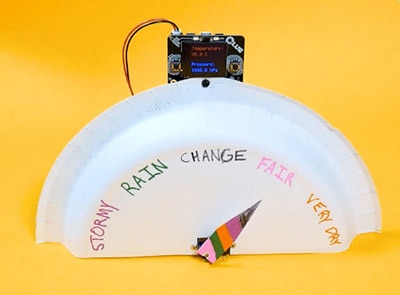
The CLUE has tons of onboard sensors that can sense movement, light, sound, and environmental measures like temperature and humidity. This project uploads code to the CLUE using PyLeap that uses the CLUE's onboard display to plot all of the sensors' data.
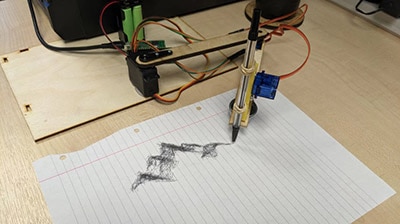
In this blog we are going to cover how to improve on our Cardboard Pico Drawing Robot Arm.
Bedankt!
Houd uw inbox in het oog voor nieuws en updates van DigiKey
Voer een e-mailadres in
Vink het selectievakje aan