Bestellingen worden doorgaans binnen 48 uur naar België geleverd, afhankelijk van de locatie.
Gratis verzending naar België bij bestellingen van 50 EUR of meer. Er worden bezorgkosten van 18 EUR in rekening gebracht voor alle bestellingen van minder dan 50 EUR.
UPS- of FedEx freight-zendingen met vooruitbetaling: DDP (invoerrechten en douane betaald door DigiKey)
DHL freight-zendingen met vooruitbetaling: CPT (invoerrechten, douanerechten en btw verschuldigd op het moment van levering)
Kredietrekening voor gekwalificeerde instellingen en bedrijven
Vooruitbetaling per bankoverschrijving
![]()
![]()
![]()
![]()


Meer producten van volledig geautoriseerde partners
Gemiddelde verzendtijd: 1 tot 3 dagen, extra verzendingskosten kunnen van toepassing zijn. Raadpleeg de productpagina, de winkelwagen en de kassa voor de werkelijke verzendsnelheid.
Incoterms: CPT (Rechten, douane en toepasselijke BTW/belasting zijn verschuldigd op het moment van levering)
Voor meer informatie zie Hulp en ondersteuning
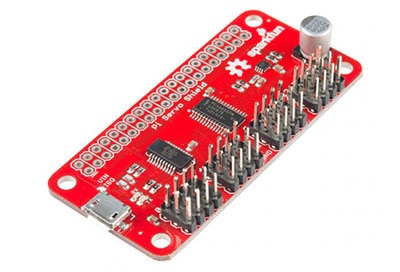
The SparkFun Pi Servo pHAT provides your Raspberry Pi with 16 PWM channels that can be controlled over I2C. These channels are broken out in a header combination that is perfect for connecting servo motors.
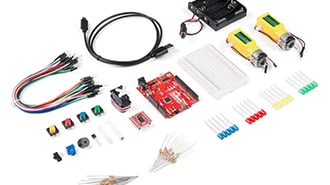
The SparkFun Tinker Kit is your starter tool kit for beginning with embedded electronics, robotics and citizen science using the SparkFun RedBoard Qwiic without breaking the bank. This guide contains all the information you will need to explore the 11 circuits of the Tinker Kit.
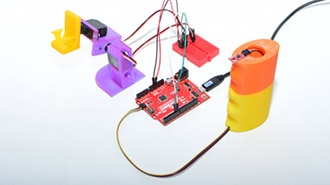
For this project I’m going to be using one of our newer, smaller magnetometer boards to control a pair of servos, and then toss out some ideas to upgrade to a much bigger, cooler project.
Combining the micro:bit with the SparkFun moto:bit - micro:bit Carrier Board (Qwiic) creates a flexible, low-cost robotics platform for anyone from students getting started with the micro:bit to the engineer looking to quickly prototype or build a proof of concept.
Machine learning has taken the technology world by storm. From smart email categorization to make it easier to sift through your inbox, to ML applications that decipher your handwriting and allow you to deposit checks on your mobile phone, to medical diagnosis like detecting cancer.
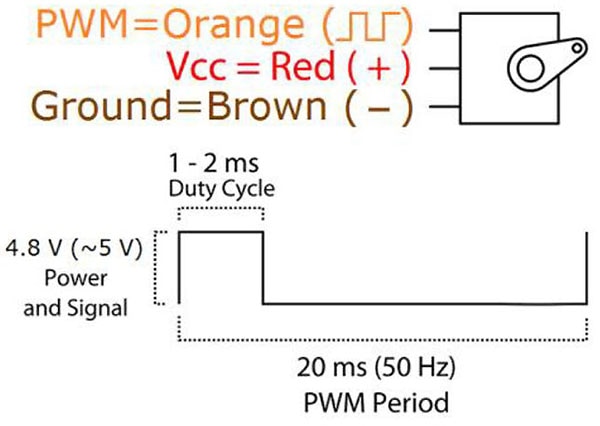
There are several methods one can use to control servo motors with a Raspberry Pi, and this article introduces two of them and explains how servo motors work.
We will cover some basics of controlling servos with code using the Arduino IDE and Python, and provide an example that requires no programming at all.
Driving a servo motor with a microcontroller and using the Arduino IDE to program the movement direction for a rotating shaft for use in creating a moving project.
In this tutorial, we will expand on the SIK for RedBot to control a robot wirelessly with XBee radios!
Check out this distance sensing Halloween prop designed to spook the willies out of trick-or-treaters.
Perhaps you remember an “As Seen on TV” product known as “The Clapper” in the 1980s and 1990s. We’re going to make our own version of this, but instead of controlling any appliance, we will operate a lamp chain using a servo.
Bedankt!
Houd uw inbox in het oog voor nieuws en updates van DigiKey
Voer een e-mailadres in
Vink het selectievakje aan