Bestellingen worden doorgaans binnen 48 uur naar België geleverd, afhankelijk van de locatie.
Gratis verzending
Gratis verzending naar België bij bestellingen van 50 EUR of meer. Er worden bezorgkosten van 18 EUR in rekening gebracht voor alle bestellingen van minder dan 50 EUR.
Incoterms
UPS- of FedEx freight-zendingen met vooruitbetaling: DDP (invoerrechten en douane betaald door DigiKey)
DHL freight-zendingen met vooruitbetaling: CPT (invoerrechten, douanerechten en btw verschuldigd op het moment van levering)
Betalingswijzen
Kredietrekening voor gekwalificeerde instellingen en bedrijven
Vooruitbetaling per bankoverschrijving
Marketplace-product
Meer producten van volledig geautoriseerde partners
Gemiddelde verzendtijd: 1 tot 3 dagen, extra verzendingskosten kunnen van toepassing zijn. Raadpleeg de productpagina, de winkelwagen en de kassa voor de werkelijke verzendsnelheid.
Incoterms: CPT (Rechten, douane en toepasselijke BTW/belasting zijn verschuldigd op het moment van levering)
Learn to interface the Raspberry Pi Pico RTC DS3231 using Arduino IDE. Build an accurate digital clock with a 16x2 I²C LCD. Includes circuit diagram, code & troubleshooting.
In this guide we are going to look at how you can use the package manager in Thonny to download the libraries for Kitronik products directly onto your Raspberry Pi Pico.
In this tutorial we’ll demonstrate how a Raspberry Pi Pico can be used along with some simple electronic components and Python code to record the voltage of a AA battery.
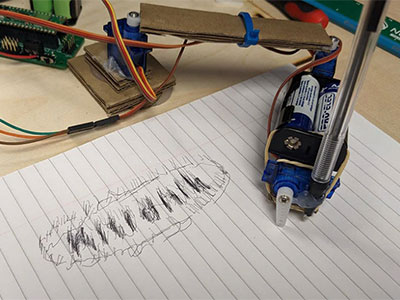
In this first blog of a series we are going to cover how we can create a drawing robot arm out of cardboard using three servos, a Raspberry Pi Pico and the Kitronik Simply Servos for Pico board. Then we’ll move onto how to use the DrawingRobot Python library we created for the Pico.
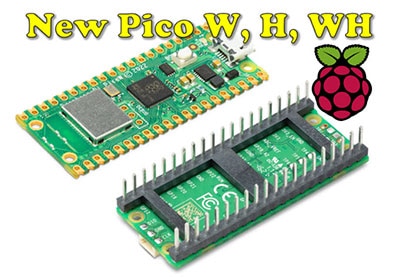
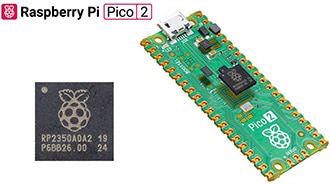
Following on the popularity of the Pico and RP2040, Raspberry Pi has announced three new Pico boards, two of which have onboard wireless LAN and Bluetooth.


 Instellingen
 Snelle levering
 Gratis verzending
 Incoterms
 Betalingswijzen


 Marketplace-product







 België
Auteursrecht © 1995-2026, DigiKey.
Alle rechten voorbehouden.
Algemene voorwaarden
Privacyverklaring
Instellingen voor cookies
België
Auteursrecht © 1995-2026, DigiKey.
Alle rechten voorbehouden.
Algemene voorwaarden
Privacyverklaring
Instellingen voor cookies