 Instellingen
 Snelle levering
Bestellingen worden doorgaans binnen 48 uur naar België geleverd, afhankelijk van de locatie.
 Gratis verzending
Gratis verzending naar België bij bestellingen van 50 EUR of meer. Er worden bezorgkosten van 18 EUR in rekening gebracht voor alle bestellingen van minder dan 50 EUR.
 Incoterms
UPS- of FedEx freight-zendingen met vooruitbetaling: DDP (invoerrechten en douane betaald door DigiKey)
DHL freight-zendingen met vooruitbetaling: CPT (invoerrechten, douanerechten en btw verschuldigd op het moment van levering)
 Betalingswijzen
Kredietrekening voor gekwalificeerde instellingen en bedrijven
Vooruitbetaling per bankoverschrijving


 Marketplace-product
Meer producten van volledig geautoriseerde partners
Gemiddelde verzendtijd: 1 tot 3 dagen, extra verzendingskosten kunnen van toepassing zijn. Raadpleeg de productpagina, de winkelwagen en de kassa voor de werkelijke verzendsnelheid.
Incoterms: CPT (Rechten, douane en toepasselijke BTW/belasting zijn verschuldigd op het moment van levering)
Voor meer informatie zie Hulp en ondersteuning

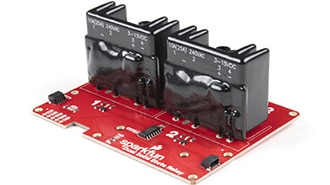
In this tutorial we'll detail the hardware on the Dual Solid State Relay, how to connect it to an Arduino or other microcontroller and how to use the examples included in our Arduino library and Python package.
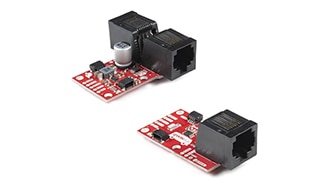
Introducing the SparkFun QwiicBus system! The QwiicBus is a fast and easy way to extend the range of your I²C bus.
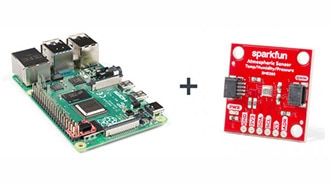
If you’ve recently picked up your first Raspberry Pi it sure doesn’t look like any computer you’re accustomed to, so let’s talk through the basics to get your Raspberry Pi up and running as a full desktop.
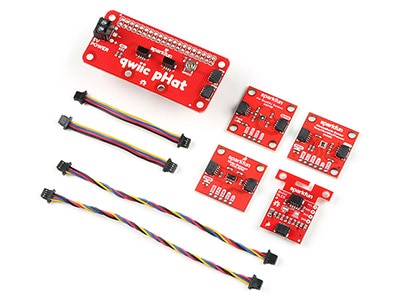
Welcome to the Qwiic Kit for Raspberry Pi V2 hookup guide. Here we are going to get started with some of the basics surrounding I2C and Python on your Raspberry Pi.
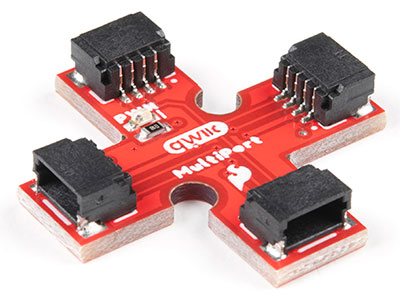
The SparkFun Qwiic Multiport adds additional ports to boards that have only one Qwiic port on their I2C bus. Once added, you can use it as a hub to add as many I2C devices to the bus as you need [1] ! You can also use the board as an alternative to a daisy chained configuration.
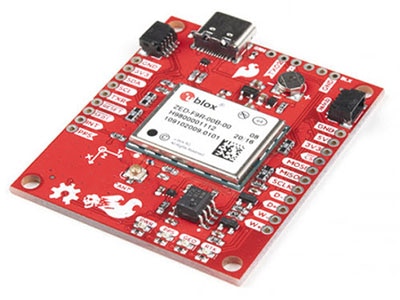
The SparkFun GPS ZED-F9R is the next iteration of u-blox's GPS offerings!
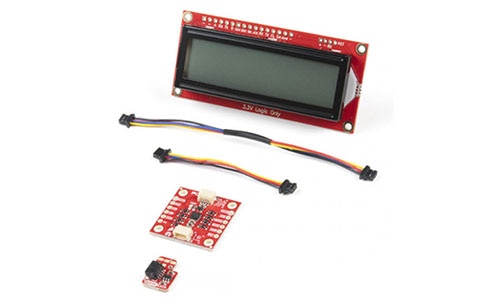
This tutorial will go over connecting Qwiic-enabled devices, installing their Python packages, and running the example code.

Bedankt!
Houd uw inbox in het oog voor nieuws en updates van DigiKey
Voer een e-mailadres in
Vink het selectievakje aan




 België
Auteursrecht © 1995-2026, DigiKey.
Alle rechten voorbehouden.
Algemene voorwaarden
Privacyverklaring
Instellingen voor cookies
België
Auteursrecht © 1995-2026, DigiKey.
Alle rechten voorbehouden.
Algemene voorwaarden
Privacyverklaring
Instellingen voor cookies


